
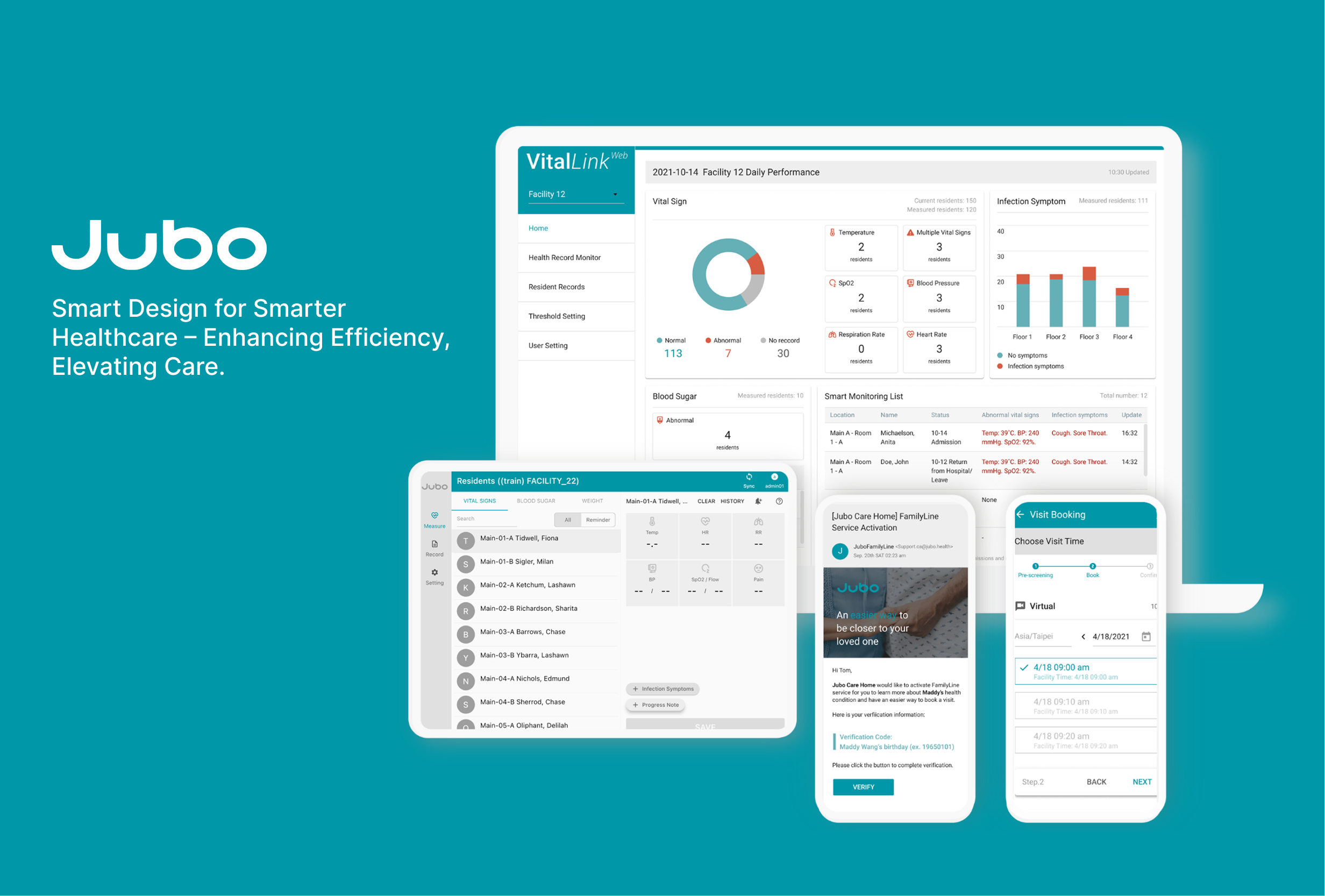
As a Product Manager for this project, I aimed to simplify and enhance the workflow of healthcare professionals using an IoT product design. I carried out user research to gain insights into their daily work routine. Previously, each caregiver had to measure the body temperature of 40 residents within a 90-minute timeframe, using forehead thermometers and recording data manually on paper. The target users had varying levels of experience with digital products. It's critical to note that "Measurement" and "Monitoring" are different behaviours. Users must adapt to the new IoT app's mental models for monitoring residents' body temperature, which requires user-friendly UX designs.
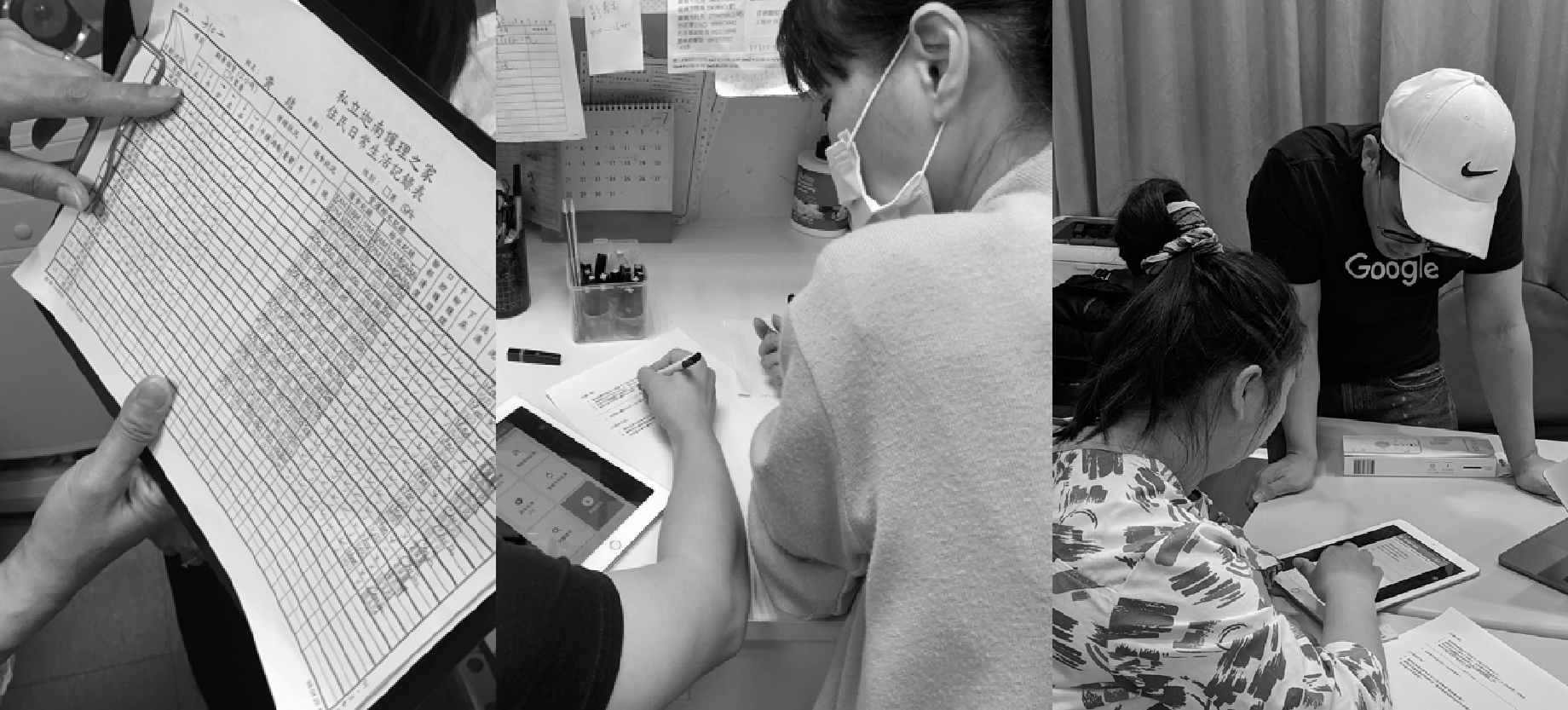
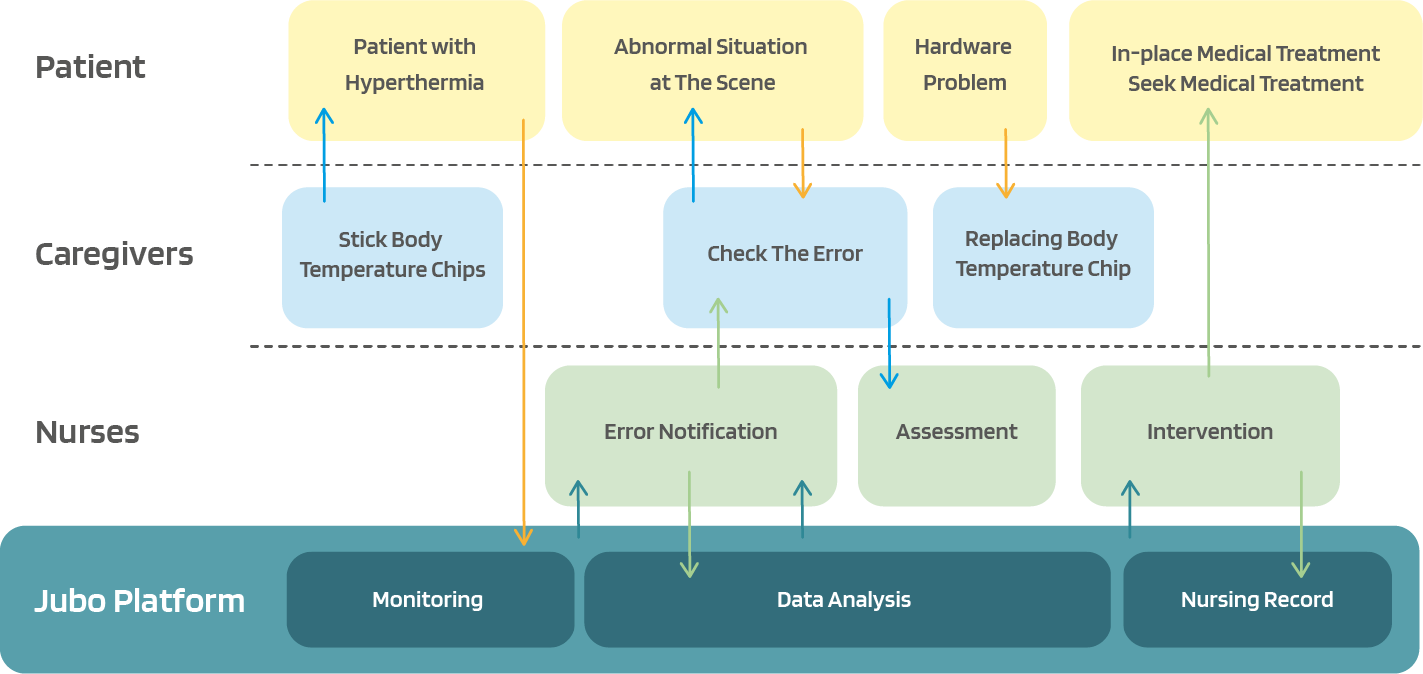
During the design process, encompassing the stages of "Discovery" and "Interpretation", I utilised Contextual Inquiry, Shadowing, and User Interview methods to capture the user's needs and potential. As a result, I identified an opportunity to develop an improved service that caters to the users' requirements more effectively and precisely, as demonstrated in the service blueprint.
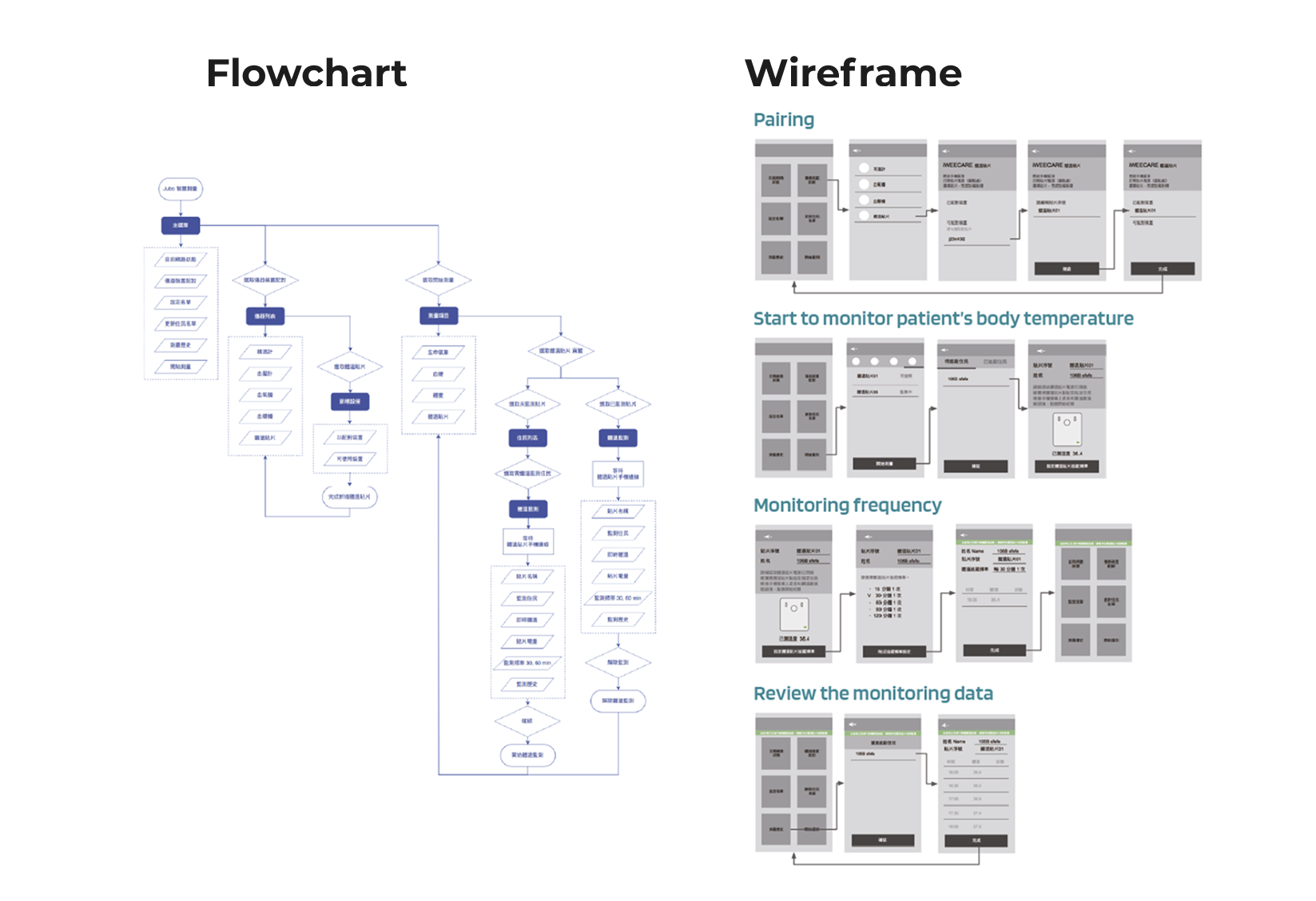
To start designing the user interface for the product, I first conducted thorough user research to identify user behaviours, interactions and workflow with the app. Using this research, I created a flowchart and wireframe to guide the following design process.
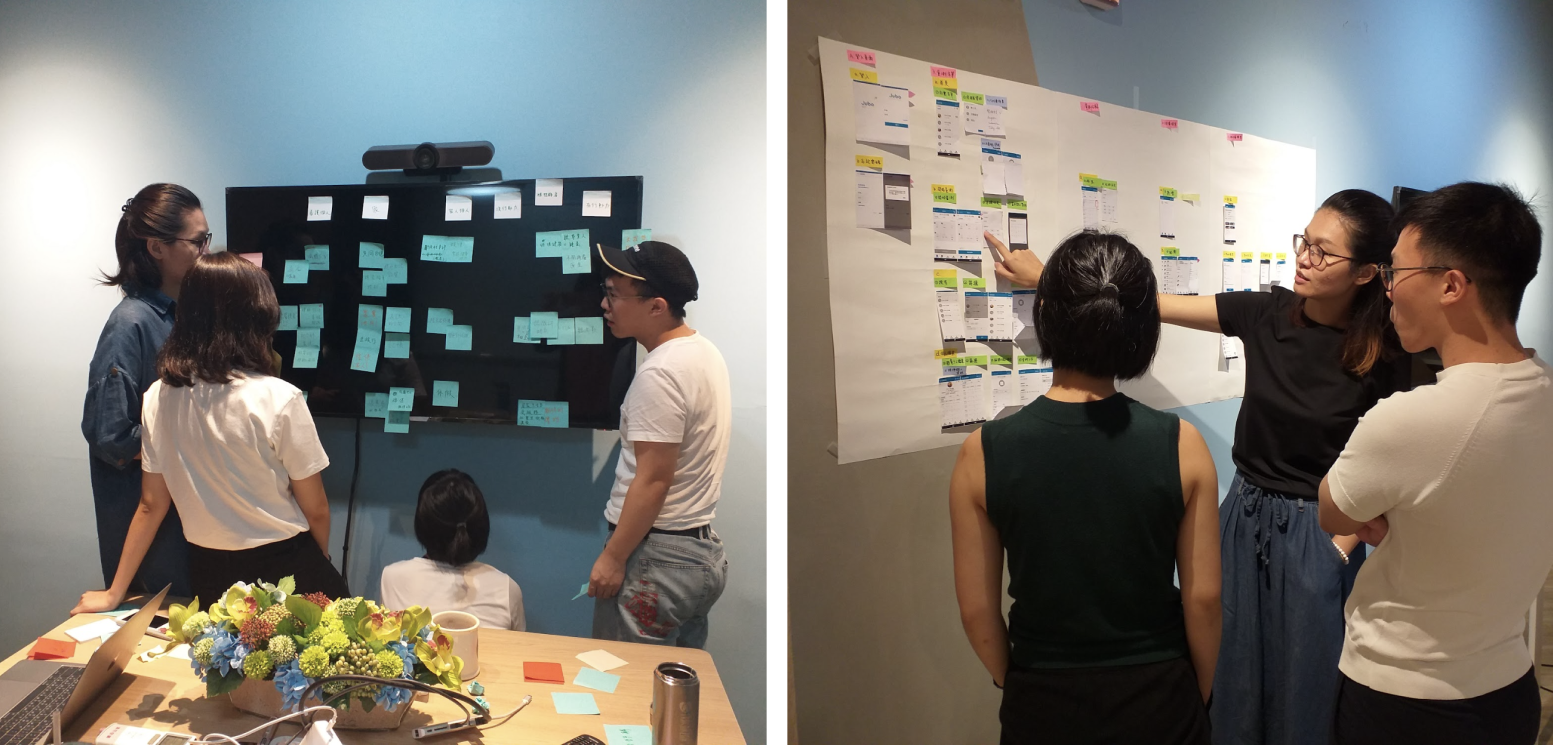
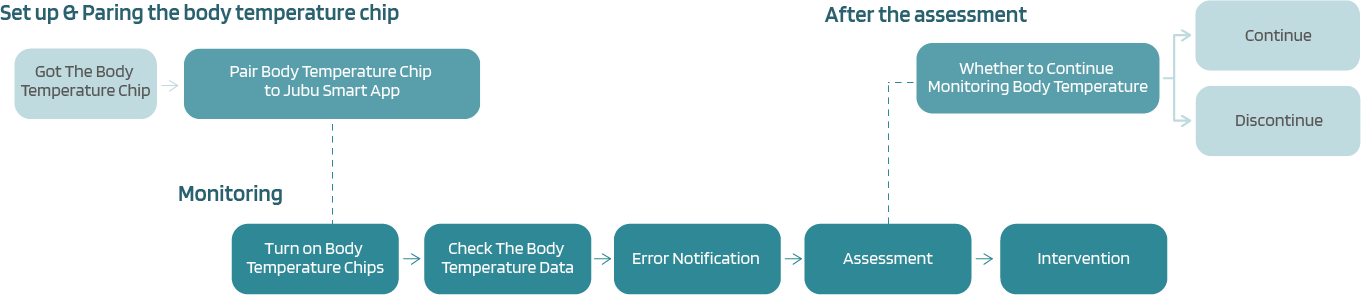

I conducted a comprehensive analysis of the information architecture and user behaviours within the app. Based on this analysis, I strategically positioned the relevant information and action buttons on each page, ensuring optimal usability and intuitive user interactions.
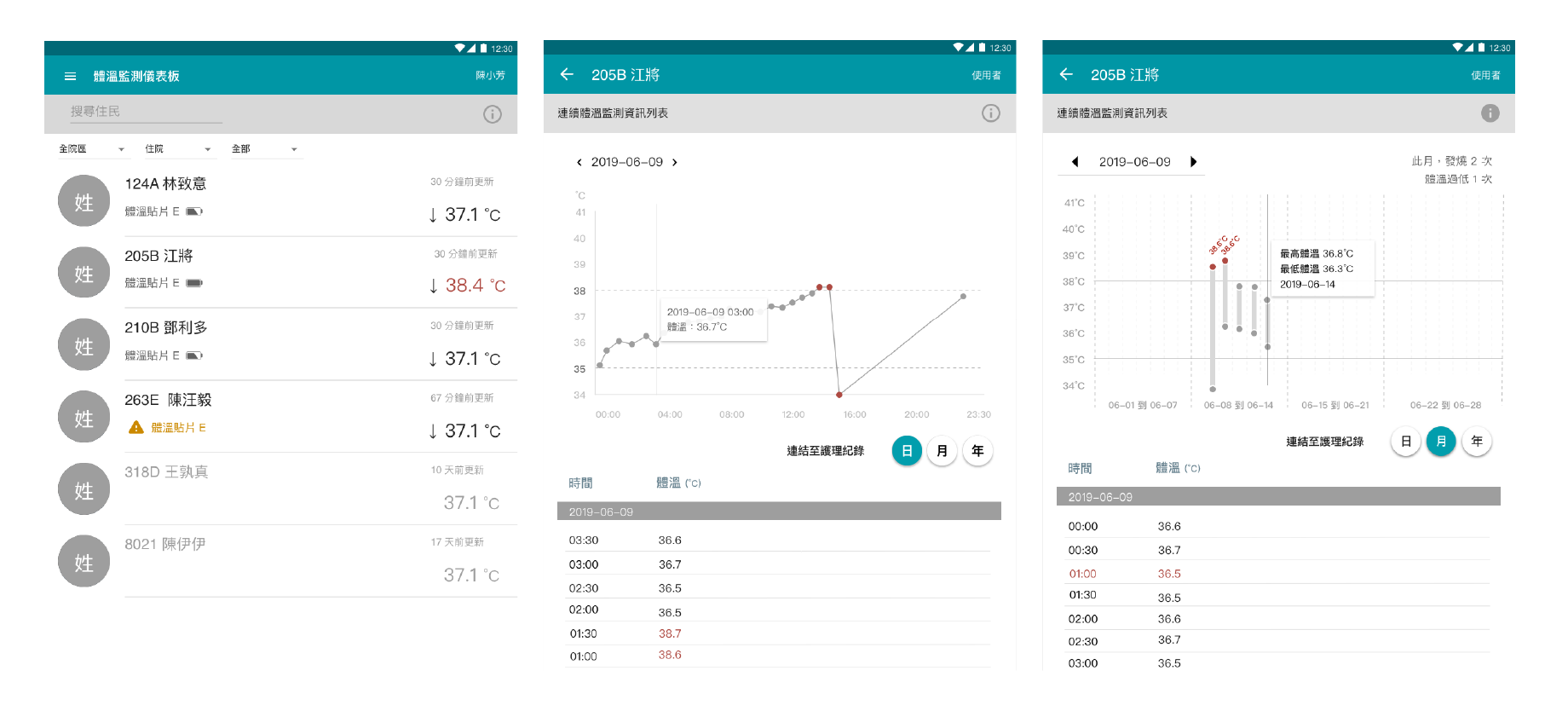
The Web App version designed for reviewing body temperature monitoring data prioritises effective visualisation of body temperature trends at varying time scales, including daily, monthly, and yearly. The primary focus of the design is to present valuable insights into residents' body temperature patterns, with the ultimate goal of improving the quality of healthcare in facilities.
After conducting a usability test with seven foreign carers who performed five tasks, it was found that the version 1 prototype had an issue in which users struggled to recognise whether the chips were connected successfully or not. This issue arose because the visual indicator relied solely on changes in text positions (chip names), which was insufficient for the users to determine the connection status accurately.
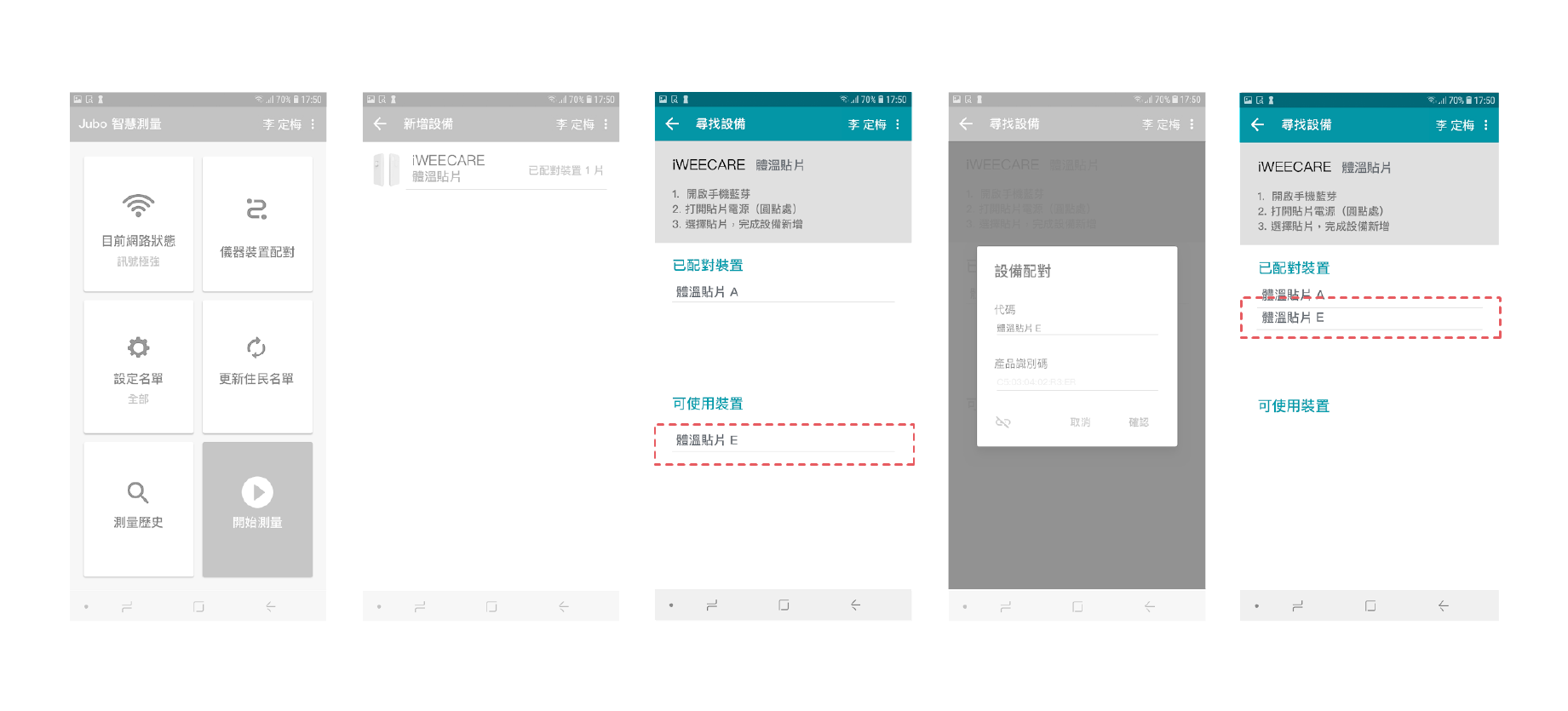
In order to optimise how users can easily recognise the chip connection status, I redesigned the "Pairing a Body Temperature Monitoring Chip" stage, creating two different solutions for the pairing process.
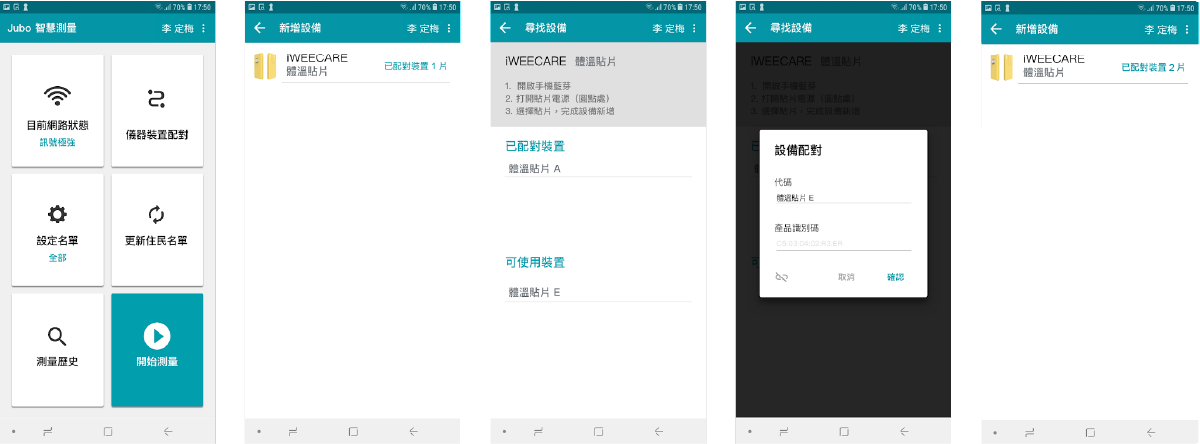
Streamlined the process by immediately returning the user to the chip list after connecting to a smartphone. The devices list displays the updated count of connected chips, indicating the addition of one more chip.
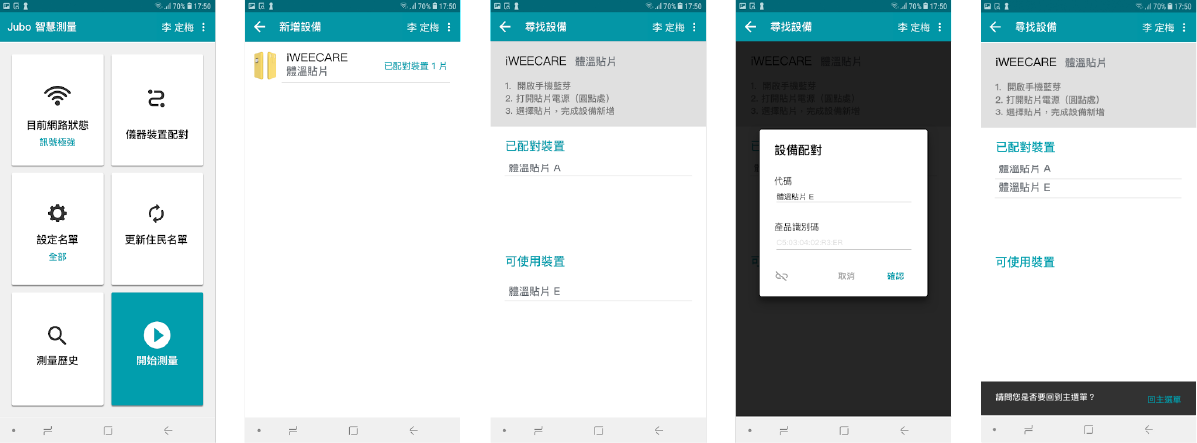
Maintained the same step count as the version 1 prototype while incorporating a "snackbar" notification at the bottom of the screen. This notification confirms the successful connection of the newly added chip to the smartphone.
To evaluate the effectiveness of these design enhancements, the same seven foreign caregivers who participated in the Usability Testing were invited to participate in an A/B test. The results showed that the inclusion of the "snackbar" at the bottom of the screen improved comprehension for users, offering them a sense of controllability and feeling more manageable about the situation, thus enhancing the overall satisfaction of the system.
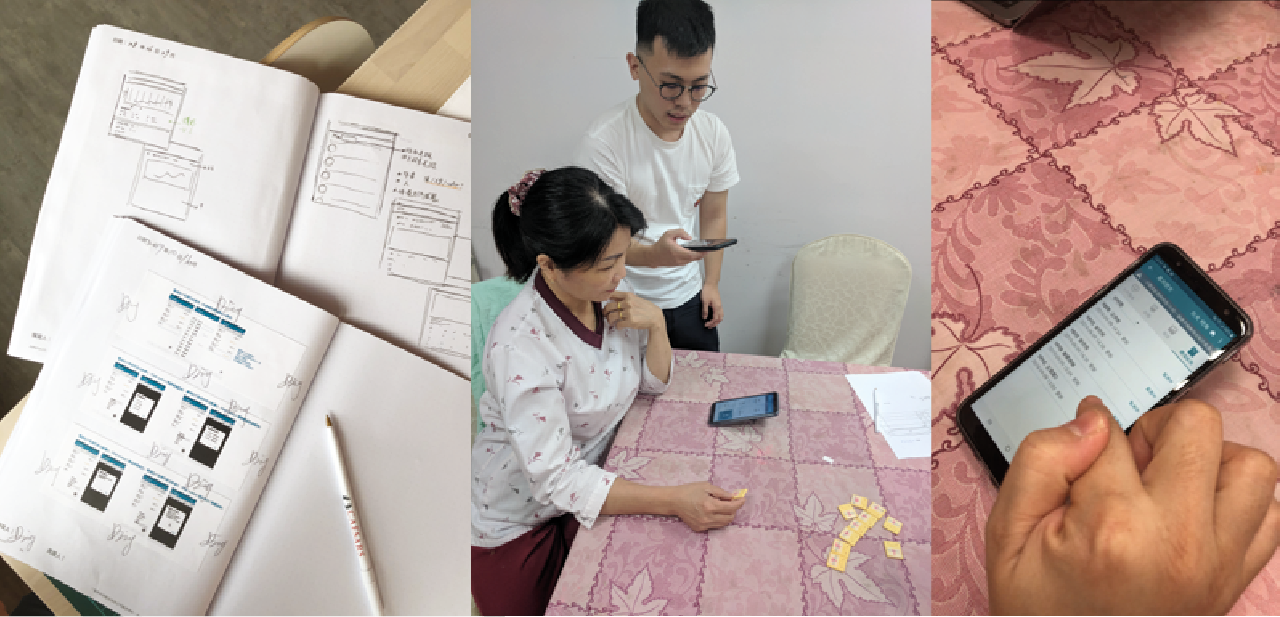
As a Product Owner for this project at Jubo Health, I successfully managed and designed two significant projects that reflect my dedication to user-centric designs and optimised user experiences. The first project focused on developing an IoT app for body temperature monitoring to simplify healthcare professionals' workflows and improve the user experience. Through strategic discovery, web and mobile app design, component-based UI-kit creation, and meticulous dashboard UI redesign, I successfully managed the product from concept to launch. I conducted usability testing and A/B testing to refine the design and enhance user satisfaction.
I led the development of the Notification Centre for the 'SmartNIS' SaaS platform, demonstrating my expertise in providing outstanding user experiences within UX Design & UX Research.
Utilising Google Material Design, I created an intuitive UI, which follows Jubo Health's design style UI that seamlessly integrates into the SmartNIS ecosystem across mobile, tablets, laptops and desktops. Through extensive research and analysis, I gained insights into user preferences and requirements, allowing me to establish the critical hierarchy of notification importances.
I mapped out seamless user flows and defined intuitive interactions for notifications UI, ensuring optimal user engagement and interaction. I crafted a user-centric experience that facilitates effortless navigation and effective information delivery by carefully considering user behaviour and preferences.
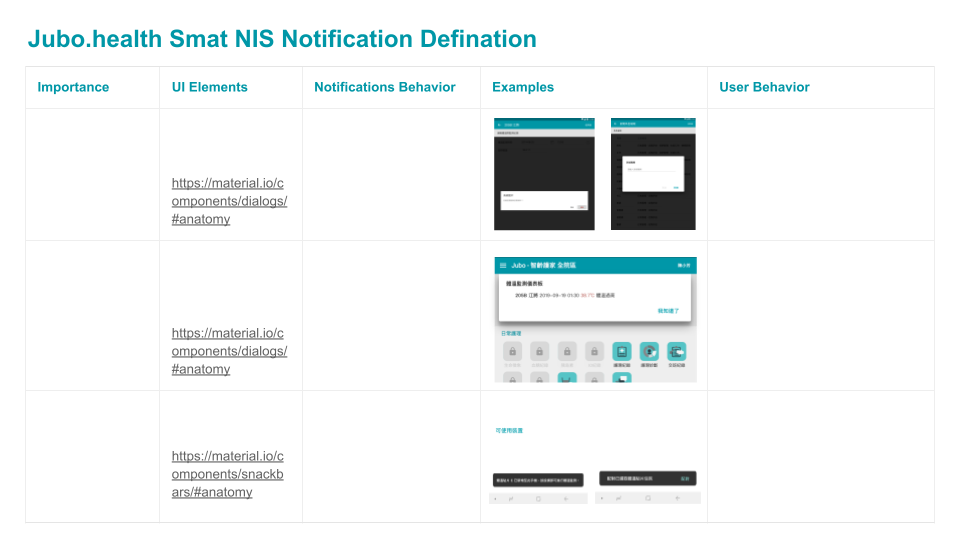
I considered various scenarios and further designed the layouts, components, and overall visual aesthetics, aligning them with the unique branding and requirements of Jubo Health for SmartNIS's Notification Centre. The outcome is a cohesive and visually compelling interface that enhances user satisfaction and facilitates efficient interaction with notifications.
This project showcases my ability to combine research-driven insights, practical experience, and an unwavering dedication to user-centred design to create an exceptional Notification Centre that elevates the overall user experience within the SaaS platform.
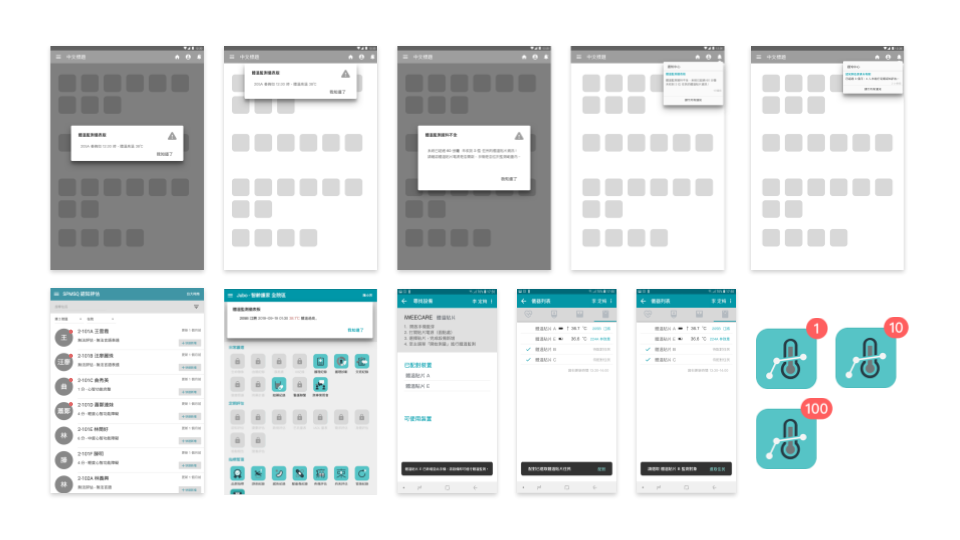
The second project involved designing a notification centre for SmartNIS, a SaaS platform, where I employed 'Google Material Design' principles to create an intuitive UI. I conducted extensive research to understand user preferences and needs, defining clear notification guidelines and UI components for SmartNIS. This project demonstrates my expertise in providing outstanding user experiences through meticulous research, intuitive design, and a commitment to user-centricity, contributing to a cohesive and visually compelling interface within the SaaS platform.

Great design looks good,
feels right, and works effortlessly.